Validation After Equipment Software Updates
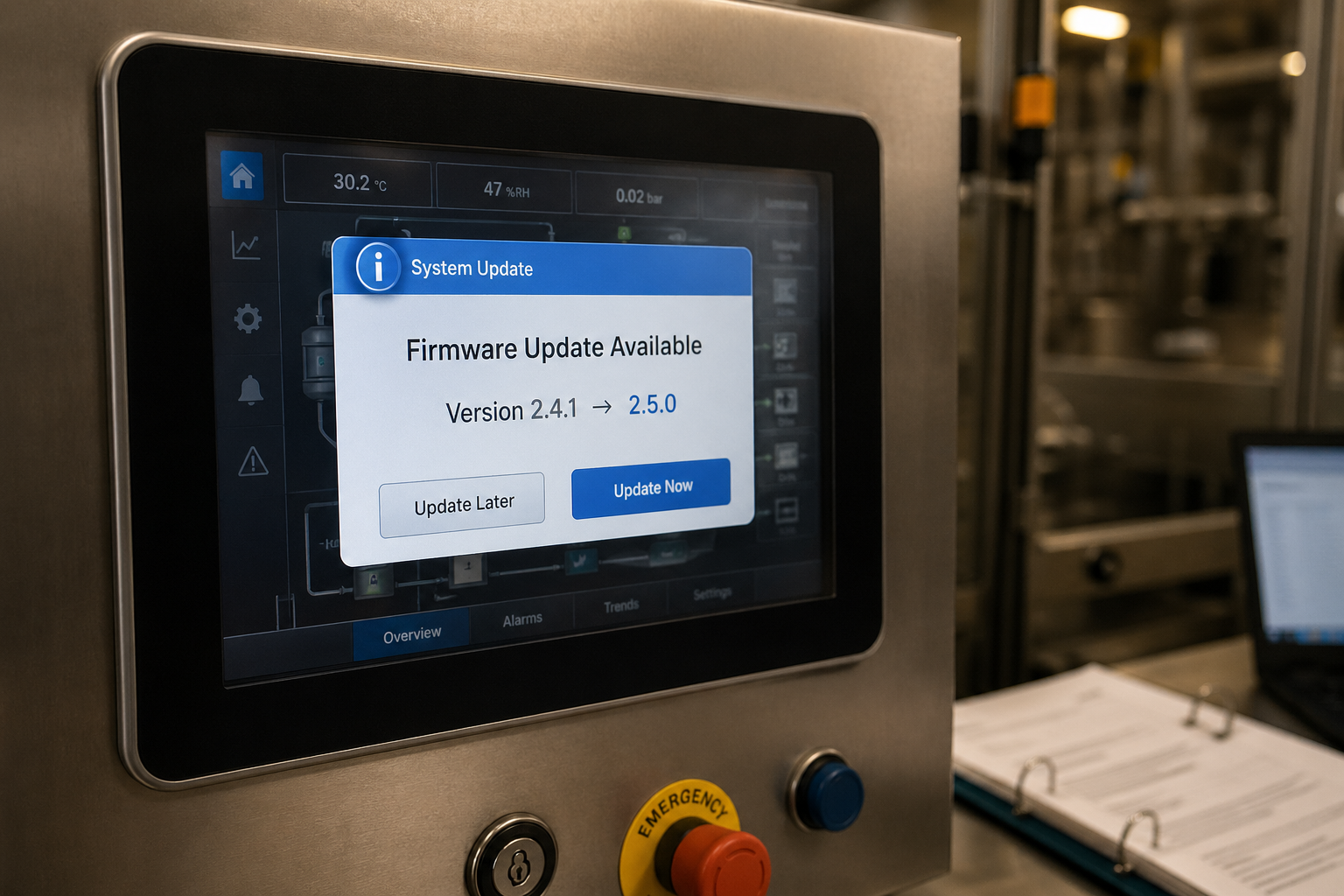
A vendor email arrives at 4 PM on a Friday. Subject: "Firmware 2.5.0 now available." Three sentences of release notes. A list of "improvements." No mention of validation impact. Your tablet press, your filling line, or your sterilizer is sitting in a validated state, and somewhere in your QA system there is a procedure that says nothing changes without change control. Now you have to figure out what that update actually means.
Every validated piece of equipment will get a software update at some point. Sometimes the update is critical. Sometimes it is cosmetic. Sometimes the vendor has already pushed it before anyone in your validation group knew it was coming. The decision you have to make is the same in every case: is the equipment still in a validated state, and if not, what specifically do you have to do to get it back there?
This post covers the change-classification framework that drives that decision, the impact classes you actually see in the field, the special handling needed for embedded firmware and PLC code, what triggers revalidation versus what only requires an impact assessment, and the worst case nobody talks about: the update that already happened.
---
The Core Question: Did the Validated State Change?
A validated state is not a status flag. It is a documented set of conditions: the software version recorded during IQ, the configuration captured at OQ, the parameters that drove PQ acceptance, the alarm thresholds tested, the audit-trail behavior verified, and the assumptions in the risk assessment. A software update affects the validated state if it touches any of those conditions.
The classification decision is built on three questions, asked in order:
- Does the update change anything that was tested or recorded during IQ, OQ, or PQ?
- Does the update change anything that affects a Critical Process Parameter (CPP) or a Critical Quality Attribute (CQA)?
- Does the update change anything that affects regulatory controls (Part 11 audit trail, electronic signatures, user permissions, data retention, alarm logging)?
If the answer to all three is "no," you may be looking at a documentation update with no revalidation impact. If the answer to any is "yes," you are looking at impact assessment at minimum, and possibly partial or full revalidation. The size of the answer is what determines the size of the response.
---
Three Impact Classes for Software Changes
Most software updates fall into one of three impact classes, classified by what the update does to the validated state. Knowing which class you are dealing with is the difference between a half-day documentation update and a multi-week revalidation. The implementation layer (application code, firmware, PLC, runtime, OS) is a separate dimension that adds special evidence requirements; that overlay is covered in the next section.
Class A: No Functional Change (Cosmetic, Stability, or Patched-Vulnerability Only)
Vendor explicitly states that no functional behavior, default configuration, timing, dependency, or logged event has changed. Examples: a CSS fix on the HMI, a memory leak repair, a CVE patch that only modifies the patched code path.
What you typically need: an impact assessment confirming no qualified function, CPP, CQA, or Part 11 control was affected; a change control record; an updated software version number in your equipment record. Targeted regression testing on critical functions is good practice but the scope is narrow.
What can go wrong: a "patch" that quietly changes a default, a timeout, a dependency version, or how an event is logged. Read the changelog carefully and look at the configuration diff if you can get one. Vendor version numbering (semantic versioning, calendar versioning, or build numbers) is a weak heuristic, not validation evidence. Base the classification on what actually changed, not on the version number convention.
Class B: New Functionality Added Alongside Existing Qualified Functions
A new feature is added, an existing feature is enhanced, or a configuration option becomes available. The previously qualified functions still work the way they did, but something new exists alongside them.
What you typically need: an impact assessment that distinguishes between the unchanged qualified functions and the new functionality. The unchanged functions can usually stay validated as-is. The new functionality, if you intend to use it for production, requires its own qualification scope (typically partial OQ at minimum, depending on what it does).
What can go wrong: enabling the new feature without qualifying it. If the update enables a new mode by default and an operator uses it, you have an unqualified function in production. The classification decision must include "what changes are on by default," not just "what new options are available."
Class C: Behavior of a Previously Qualified Function Has Changed
A control loop is rewritten. An alarm threshold default changes. The HMI workflow for a critical operation is modified. A communication protocol with an upstream system is altered. A previously qualified parameter now behaves differently.
What you typically need: at minimum, partial revalidation of the affected functions. Often this is a focused OQ revisiting the changed control loops, alarms, and interlocks. PQ may be required if the change affects a function that was part of the original PQ acceptance basis.
What can go wrong: assuming the vendor's testing covers your use case. The vendor validates that the software works as designed. Your validation proves it works for your process, with your CPPs, in your environment. Vendor data can support your impact assessment, but it cannot replace your site qualification.
---
Implementation-Layer Overlay: Embedded Firmware, PLC, Runtime, OS
The impact class drives the classification. The implementation layer drives the evidence you need to verify the classification. Embedded code, PLC logic, HMI runtimes, and operating-system components are harder to assess from release notes than application-level updates and warrant additional scrutiny regardless of which impact class they appear to fall in.
Embedded firmware and PLC updates can sit underneath the application layer and change behavior in ways that are not visible from release notes alone. Vendor confirmation at the function level is the minimum starting point. Without a function-level changelog, the safer default is to treat the update as Class C (behavior of a qualified function has changed) until you can prove otherwise. For utility gear specifically, our UPS firmware update walkthrough applies this default end to end, worked example included.
HMI runtime updates can change touch responsiveness, screen refresh, alarm display behavior, and audit-trail event capture. These are easy to underestimate because they look like cosmetic platform updates.
OS, runtime, and infrastructure updates (Windows patches, .NET runtime, embedded Linux components, browser engines on web-based HMIs) can break dependencies that the vendor's application relies on. Even when the application code itself is untouched, a runtime update can change behavior. Coordinate these with the equipment vendor before applying.
Vendor-managed cloud or SaaS components behave differently again, because the vendor controls the release schedule and the ability to defer or roll back at the site level is vendor and contract dependent. Some vendor-managed services offer release rings, maintenance scheduling, or vendor-executed rollback; many do not. Your contract terms, the vendor's notification practice, and your impact assessment process all need to account for this.
For any update at the firmware, PLC, runtime, OS, or vendor-cloud layer, the impact assessment should explicitly state what the assessment is based on (vendor changelog, configuration diff, function-level test, or assumed worst case) and what compensating verification was performed if the vendor information is incomplete.
---
What Triggers Revalidation vs. Impact Assessment Only
The deliverable scales with the change. Use the table below as a starting decision frame, but always document the rationale in your change control record.
Documentation update only: A version number changed. No qualified function, CPP, CQA, or regulatory control was affected. Outcome: update the equipment record and the validation status statement, reference the change control record. Do not edit the executed IQ; the IQ remains the historical record of the version installed at qualification, and the equipment record points to the current version through the change control trail.
Impact assessment, no testing: The change affects a function that is unqualified, not used in production, or non-GxP. Engineering analysis and vendor documentation show no risk to qualified parameters. Outcome: documented impact assessment, change control closed with a justification statement. Do not use this path when a qualified function changed; objective verification is required in that case.
Impact assessment plus targeted testing: The change might affect a qualified parameter, and a focused test (alarm threshold check, control loop step response, audit-trail entry verification) is sufficient to confirm the parameter still meets acceptance criteria. Outcome: impact assessment plus a small test protocol with predefined acceptance criteria and recorded results.
Partial revalidation: A specific qualified function changed enough that the original OQ test for that function should be re-executed. Outcome: a focused revalidation protocol covering the affected functions, with new acceptance evidence.
Full revalidation: The change is large enough, or affects enough qualified functions, that the qualification baseline has shifted. Outcome: new equipment record reflecting the new version, full OQ for affected scope, PQ if process performance acceptance is affected.
The decision should be documented per your site change-control SOP, with the formality of the assessment commensurate with the risk and the decision's importance, consistent with ICH Q9 (R1) Quality Risk Management. Note that ICH Q9 (R1) is guidance, as is GAMP 5; the regulatory requirements themselves come from FDA 21 CFR Part 11 (and the underlying GMP regulations) and EU GMP Annex 11. Keep the distinction explicit in your impact assessment language.
---
Worked Example: HMI Patch on a Tablet Press
Concrete classification of a real change pattern. A tablet press vendor releases HMI firmware version 4.2.1, bumped from 4.2.0. Release notes:
> - Fixed a display refresh issue on the recipe selection screen
> - Improved touch responsiveness on alarm acknowledgment
> - Updated default audit log purge interval from 30 to 90 days
Question 1: Does the update change anything tested or recorded during IQ/OQ/PQ?
- Display refresh: cosmetic, no functional change. No.
- Touch responsiveness on alarm acknowledgment: behavioral. If the original OQ included an alarm acknowledgment timing test (acceptance criterion such as "operator acknowledgment captured within X seconds of trigger"), then yes. If the OQ covered alarm activation but not acknowledgment timing, then this is a new behavior that may need a supplemental test rather than a re-execution.
- Audit log purge interval default: changes a configuration value that affects record retention. Yes, but the regulatory impact depends on which log this is.
Question 2: Does the update affect a CPP or CQA?
- None of the three changes directly drives a CPP. No.
Question 3: Does the update affect regulatory controls?
- This is where the audit-log change needs care. First determine whether this log is the Part 11 (or EU Annex 11) audit trail for GMP electronic records, or only a separate event/history log used for diagnostics. If it is the GMP audit trail, the regulatory impact is significant: you need to verify (not just review) that audit-trail entries are still being created correctly, that the new retention setting still meets your data retention requirements, that pre-existing records are preserved, and that any archive or export behavior still functions. If the log is non-GMP diagnostic history, the impact is lower and a configuration review may be sufficient.
Classification: Impact assessment plus targeted testing.
Outcome: Change control record opened. Impact assessment documents that the display refresh fix is cosmetic. The alarm acknowledgment touch responsiveness change is verified by repeating the relevant alarm-acknowledgment OQ test step if one existed; otherwise a small supplemental test with a predefined acceptance criterion is added. The audit-log change is classified based on whether the log is the GMP audit trail. If it is, the impact assessment includes objective verification of audit-trail creation, the new retention setting (set to a value compatible with your data retention procedure rather than accepting the vendor default), preservation of pre-existing records, and any archive or export behavior. The change control closes with the impact assessment, the test results, and a documented configuration decision.
That single 4.2.0 to 4.2.1 update can be handled in a focused, contained way when the assessment is done deliberately, with reference to what was actually qualified and what regulatory controls applied. The same update, treated as "just a patch, no action needed," would create a documented gap that an auditor will find.
For a deeper look at how acceptance criteria for tests like the alarm timing example should be written, see How to Write Acceptance Criteria That Won't Get Flagged in an Audit.
---
The Vendor-Pushed Update Problem
The hardest case is the update that already happened. A vendor service technician visits for a routine PM and applies a firmware update without asking. An IT-managed system gets a Windows update that bumps a runtime version that an HMI depends on. A cloud-connected analyzer phones home and updates its internal application overnight.
When you discover that an unapproved change has occurred, treat it as an unplanned change under your QMS. The sequence is:
- Route the event through your QMS unplanned-change pathway immediately. Most sites handle this as a deviation or nonconformance record; some use a single change-control record with deviation classification or a linked investigation object. The exact record structure is site-procedure dependent, but the principle is universal: the change happened outside change control, and that procedural failure must be documented before any technical assessment proceeds. Do not skip this and go straight to "retrospective change control"; that framing reads as retroactive approval of an unapproved change, which auditors will challenge.
- Perform a quality-approved risk and product-impact assessment. Determine whether any product manufactured since the change may be affected, whether any in-process batches are at risk, and whether the equipment can continue to operate while the assessment proceeds. Apply interim controls (additional in-process monitoring, increased sampling, hold on disposition) where appropriate. The decision to continue or stop production is a quality decision, not an engineering convenience.
- Reconstruct what changed. Pull the previous version, the new version, and the vendor changelog. If the vendor cannot or will not provide a function-level changelog, escalate. Operating in a validated environment on software whose changes are undocumented is a position your QA group will rarely accept.
- Open a change control for remediation. With the deviation as the originating record, open a change control to perform the impact assessment formally, plan and execute any required testing or revalidation, update documentation, and define the corrective actions. CAPA is opened where the investigation identifies a systemic cause (for example, a vendor maintenance access pattern that allows unannounced updates).
Prevent this in future by documenting in your change control SOP exactly which equipment is subject to vendor-pushed updates, requiring a maintenance access protocol that includes change notification, and where possible, requiring vendor agreements that prohibit unannounced firmware deployments on validated systems.
---
What to Document in the Change Control Record
Every software-update change control record should contain the same elements, scaled to the size of the change:
- Equipment identifier, current validated software version, target software version
- Vendor changelog or release notes (attached or referenced); function-level diff if available
- Impact assessment against IQ, OQ, PQ, CPPs, CQAs, and applicable regulatory controls. Distinguish regulatory requirements (FDA 21 CFR Part 11, EU GMP Annex 11) from supporting guidance (GAMP 5, ICH Q9 (R1)) explicitly.
- Implementation layer noted (application, firmware, PLC, runtime, OS, vendor cloud) with the additional evidence that layer required
- Classification (documentation update, impact assessment only, targeted testing, partial revalidation, or full revalidation) with rationale
- Test plan and results, if testing is required, including predefined acceptance criteria
- Updated equipment record, validation status statement, and traceability matrix references; the executed IQ is left unchanged and the current baseline is reached through the change control trail
- Rollback or backout plan and how it was tested or otherwise verified
- Approval signatures matching your site QMS
A clean change control record on a software update is one of the things auditors specifically look for when they review your change control history. For more on what auditors expect across the validation package, see What Auditors Actually Look for in Validation Documentation.
If you are still working out the underlying scope-decision logic for your equipment, How to Determine if Equipment Needs IQ Only or Full IQ/OQ/PQ covers the qualification scope framework that the change-classification decision builds on.
---
Building a Software-Update Workflow That Holds Up
The teams that handle software updates well are the ones that have a documented decision framework, a change control template ready for software changes specifically, and a clear escalation path for the cases where the vendor cannot or will not answer the questions you need answered.
Three procedural controls that earn their cost in audit defensibility:
- A standing list of validated equipment with the vendor contact, the current software version, the implementation layer (application, firmware, PLC, OS, cloud), and the date of last update. Audited quarterly so you know when something changed unexpectedly.
- A software-update-specific change control template that prompts the assessor for the three classification questions and the implementation-layer overlay explicitly, so the rationale never gets skipped.
- A vendor maintenance access procedure that requires written notification of any planned software changes and explicit prohibition of unannounced changes on validated equipment.
Valiqa generates change control templates and software-update impact assessment frameworks tied to the equipment's qualified baseline (software version, configuration, validated parameters, implementation layer), so the impact assessment starts with the right reference state rather than a manual reconstruction of what was qualified at IQ.
---
Valiqa is an AI-powered validation lifecycle platform for regulated manufacturing. Learn more at valiqa.io
Change control discipline is harder when you outgrow templates. If software-driven revalidation is becoming a frequent event, see our guide to choosing validation software for equipment qualification.
When the equipment itself changes after qualification, the question becomes which phases of IQ/OQ/PQ to redo and which to leave alone. We covered the full framework in our post on revalidation: when do you actually need to redo IQ/OQ/PQ.
If software-driven revalidation is becoming frequent on your line, take the self-scoring evaluation to see which category of validation software fits your team.
Get new validation guides in your inbox
One or two practical guides a week, written for validation engineers. Unsubscribe anytime. Privacy policy
Frequently Asked Questions
Ready to automate your validation documentation?
Generate audit-ready IQ/OQ/PQ protocols in minutes, not weeks.
Get StartedWe use essential cookies for authentication and security. With your consent, we also use Microsoft Clarity, Google Analytics, and the LinkedIn Insight Tag on our marketing pages to understand how visitors navigate the site and to measure our advertising. Read our privacy policy.